
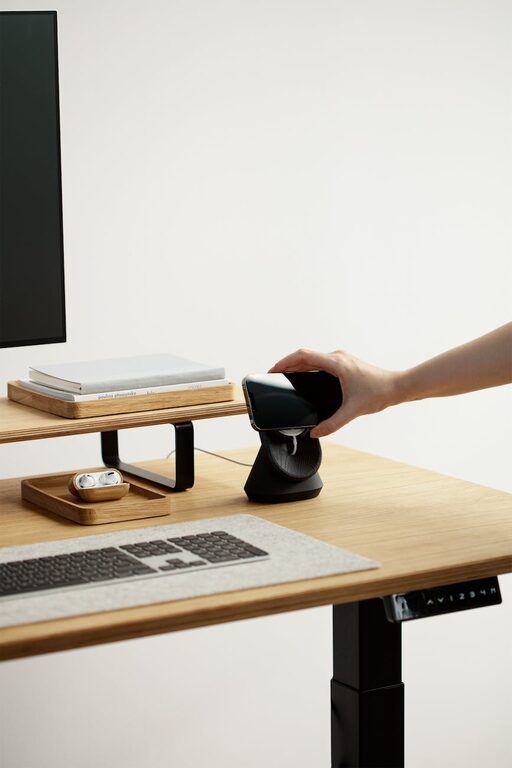
Creating a desk setup that promotes both focus and comfort can significantly improve your productivity and overall well-being during work or study sessions. Whether you work from home or spend hours at an office desk, crafting an environment that keeps distractions minimal and comfort high is key. In this post, we’ll explore essential tips to help you design a workspace tailored to your needs.
Why a Good Desk Setup Matters
Your desk setup influences how you feel and perform throughout the day. An organized, ergonomic space can reduce physical strain, prevent fatigue, and encourage concentration. Conversely, a cluttered or uncomfortable area may lead to distractions, discomfort, and decreased efficiency.
Essential Desk Setup Tips
1. Choose the Right Desk and Chair
– Desk Height: A standard desk height between 28 to 30 inches suits most people. If your desk is too high or low, consider an adjustable desk or keyboard tray.
– Ergonomic Chair: Invest in a chair that supports your lower back, promotes good posture, and has adjustable seat height and armrests.
2. Position Your Monitor Properly
– Eye Level: Place your monitor so the top of the screen is at or slightly below eye level to reduce neck strain.
– Distance: Keep the monitor about an arm’s length away for comfortable viewing.
– Multiple Screens: If you use more than one monitor, arrange them ergonomically to prevent neck twisting.
3. Optimize Lighting
– Natural Light: Position your desk near a window to use natural daylight but avoid direct glare on screens.
– Task Lighting: Use a desk lamp with adjustable brightness to reduce eye strain during focused tasks.
– Avoid Overhead Glare: Use blinds or curtains as needed to balance natural and artificial light.
4. Organize Your Workspace
– Declutter Regularly: Only keep essentials on your desk to maintain a tidy environment.
– Storage Solutions: Use drawers, shelves, or organizers to keep documents and supplies neatly stored.
– Cable Management: Employ clips, ties, or sleeves to keep cords out of the way and reduce visual distraction.
5. Ergonomic Accessories
– Keyboard and Mouse: Choose ergonomic designs to reduce strain. Position the keyboard and mouse at a height that allows your wrists to remain straight.
– Footrest: If your feet do not comfortably touch the floor, a footrest can provide additional support.
– Wrist Pads: These can provide cushioning while typing or using a mouse.
6. Personalize Your Space
– Add Greenery: Small plants can improve air quality and boost mood.
– Inspiring Items: A few meaningful photos or artwork can make the space welcoming without cluttering.
– Comfort Items: Keep a cozy throw or a cushion handy if it helps you relax during breaks.
Tips to Maintain Focus at Your Desk
Creating the right environment is the first step. Maintaining focus requires good habits as well.
1. Set Boundaries
Designate your desk as a workspace, and avoid using it for unrelated activities like eating or watching TV.
2. Take Breaks
Practice the 20-20-20 rule: every 20 minutes, look at something 20 feet away for 20 seconds to reduce eye strain.
3. Keep Hydrated and Snack Smartly
Keep a water bottle nearby and choose healthy snacks that provide sustained energy without a sugar crash.
4. Use Noise Control Methods
If you are in a noisy environment, consider noise-canceling headphones or background music that helps concentration.
Conclusion
Optimizing your desk setup for focus and comfort can transform your work experience. By adjusting your furniture, managing light and clutter, and adding personal touches, you create a space that supports your productivity and well-being. Remember, a well-thought-out workspace isn’t just about looks—it’s about creating an environment where you can do your best work comfortably every day.
—
We hope these tips help you build a desk setup that feels just right for you. What’s your favorite way to stay comfortable and focused while working? Share your thoughts in the comments below!