
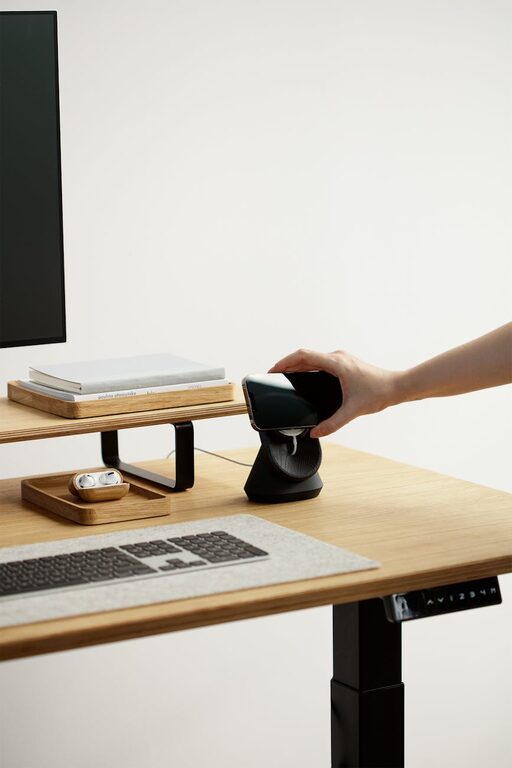
Creating an effective desk setup is key to maintaining focus and comfort throughout your workday. Whether you work from home, in an office, or a shared space, a well-designed workspace helps reduce distractions, prevent discomfort, and enhance productivity. In this post, we’ll explore practical tips and recommendations to help you design your ideal desk setup.
Why a Good Desk Setup Matters
Your desk setup influences how you feel and perform while working. Poor ergonomics can lead to discomfort, fatigue, and even long-term health issues such as back pain or eye strain. Meanwhile, a cluttered or uninspiring space can reduce motivation and increase distractions. Investing time to arrange your desk properly creates a more pleasant environment where you can focus better and work more efficiently.
Choosing the Right Desk and Chair
Desk Height and Size
– Adjustable height desks are ideal as they allow you to switch between sitting and standing.
– The desk height should enable you to keep your elbows at a 90-degree angle while typing.
– Ensure the desk surface is spacious enough to hold essential items without clutter.
Ergonomic Chair
– A chair with adjustable height and lumbar support helps maintain a healthy posture.
– Choose one with comfortable cushioning and breathable fabric.
– Your feet should rest flat on the floor, with knees at roughly a 90-degree angle.
Monitor Placement and Screen Setup
Positioning Your Monitor
– Place the monitor directly in front of you to avoid neck strain.
– The top of the screen should be at or slightly below eye level.
– Maintain about an arm’s length distance between your eyes and the screen.
Additional Tips
– Use a monitor stand or stack of books if you need to raise your screen height.
– Consider dual monitors if your workflow benefits from multitasking, but arrange them ergonomically to prevent excessive neck movement.
Keyboard and Mouse Ergonomics
– Position your keyboard so your wrists are straight and your hands slightly below elbow level.
– Use a keyboard tray if your desk height doesn’t match ideal ergonomic settings.
– Choose a mouse that fits comfortably in your hand and use a mouse pad with wrist support to reduce strain.
Lighting for Focus and Comfort
Natural light is best for reducing eye fatigue and boosting mood. Position your desk near a window if possible.
Artificial Lighting
– Use soft, diffused lighting to avoid glare and harsh shadows.
– Desk lamps with adjustable brightness and direction can help illuminate your workspace without straining your eyes.
– Consider warm light bulbs to create a cozy atmosphere that encourages focus.
Organizing Your Desk to Minimize Clutter
A tidy desk reduces distractions and helps you find what you need quickly.
Desk Organization Tips
– Use trays, pen holders, and cable organizers to keep items in place.
– Limit the number of items on your desktop to essentials only—store everything else in drawers or shelves.
– Regularly declutter to maintain an orderly environment.
Incorporating Comfort Elements
Adding personal touches and comfort features can improve your overall well-being.
– A small plant can boost mood and purify air.
– Use a wrist rest to reduce strain during typing.
– Keep a water bottle nearby to stay hydrated.
Break and Movement Strategies
Even the best desk setup can’t replace the benefits of regular breaks and movement.
– Follow the 20-20-20 rule: every 20 minutes, look 20 feet away for 20 seconds to reduce eye strain.
– Stand up and stretch every hour to improve circulation.
– Consider a sit-stand desk or desk converter to alternate positions during the day.
Final Thoughts
Optimizing your desk setup for focus and comfort is a worthwhile investment in your productivity and health. By paying attention to ergonomics, lighting, organization, and personal comfort, you can create a workspace where you enjoy spending time and achieve your best work. Start small by adjusting your chair or organizing your desk, then gradually make improvements that fit your needs and preferences.
Remember, the best workspace is one that supports how you work and feels inviting. Experiment with different setups until you find what works best for you!